

IOGEAR Nexus 3-Port 4K HDMI Gaming KVM Switch – Supports PS5/PS4, Xbox Series X|S, Nintendo Switch, PC – 1440p 144Hz, 1080p 240Hz, USB 3.2 Hub, RGB, Keymander App — GCS1337
$154.99




Price: $154.99
(as of May 03, 2026 09:00:11 UTC – Details)

Product description


1 Perfect for Gaming
2 Video Resolution
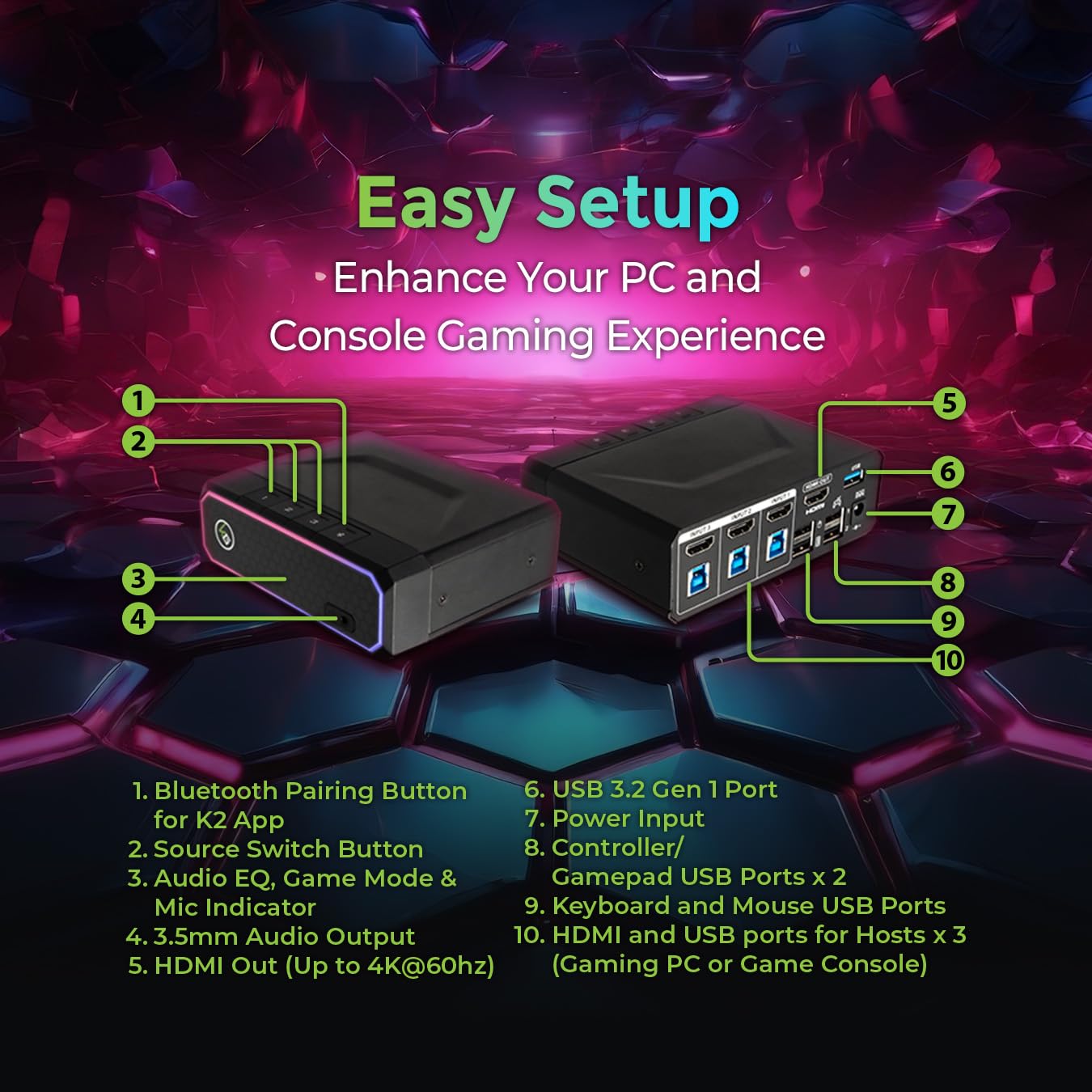
3 Ports Overview


1 USB 3.2 Port
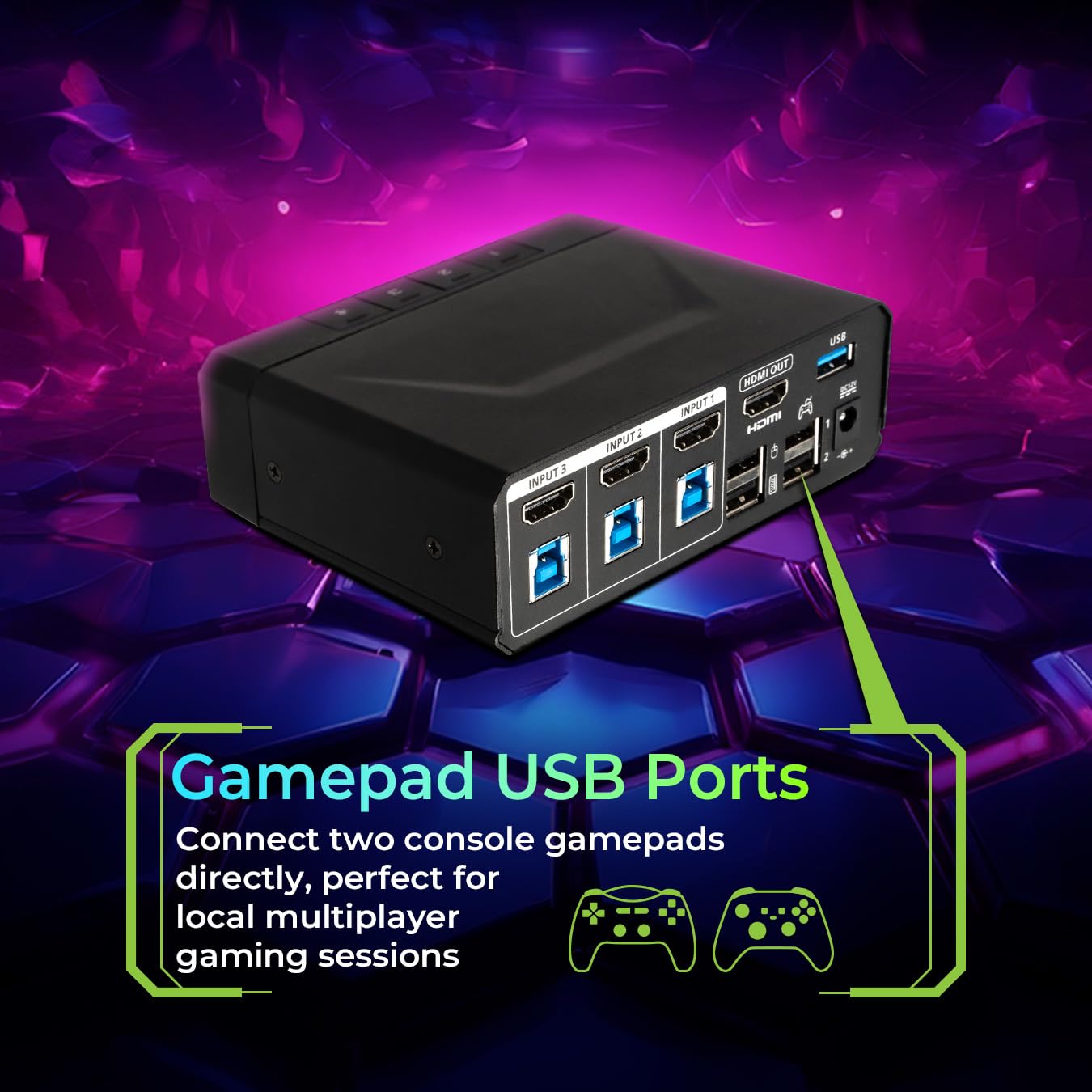
2 Gamepad USB Ports
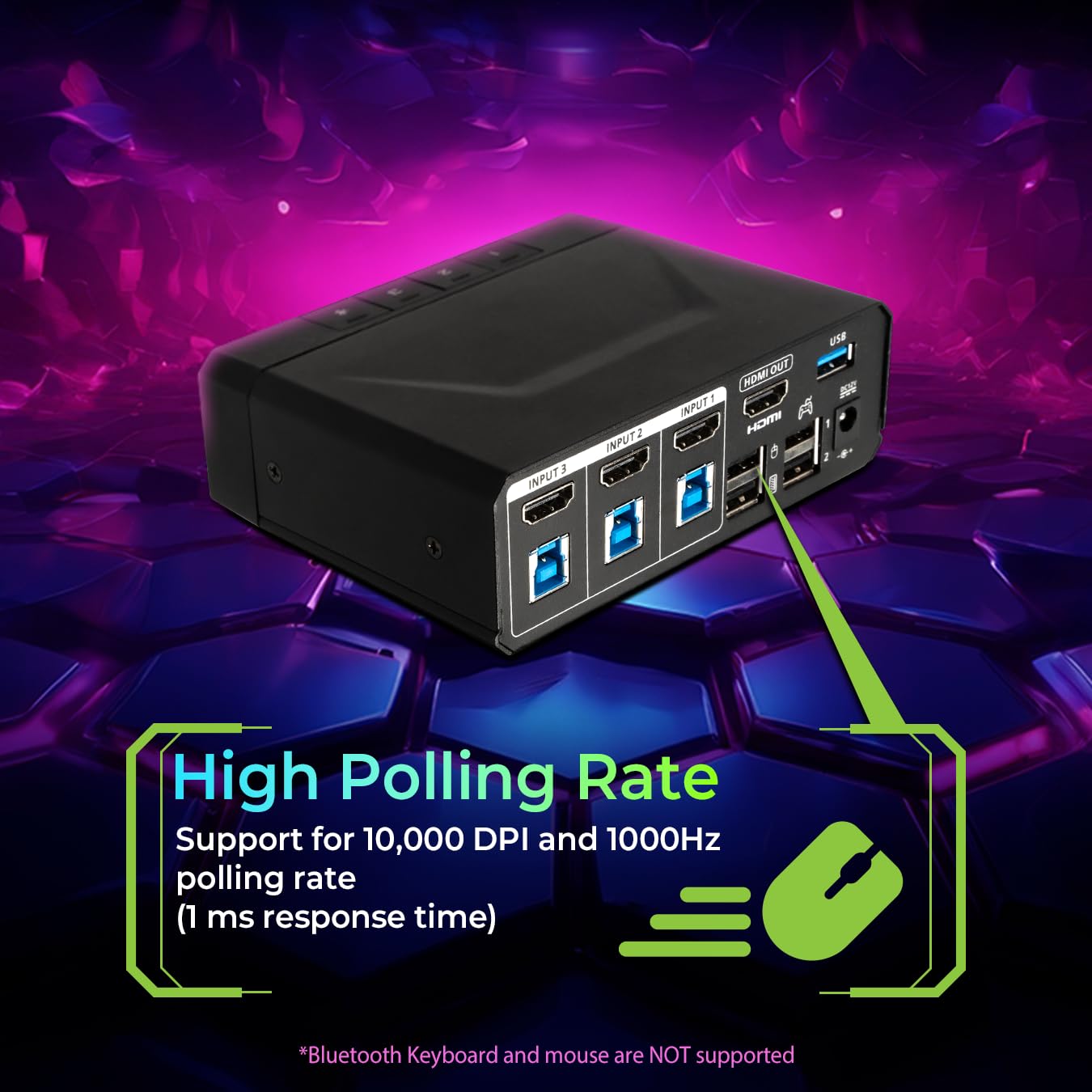
3 High Polling Rate
4 Keyboard/Mouse Support
5 Compatibility


1 Gaming
2 Work & Play
3 Streaming Rig


1 Wireless Configuration
2 RGB Your Way
3 Game Audio EQ
4 Remote Port Switching
Does the Nexus support keyboard and mouse with built in Bluetooth?
No, the Nexus doesn’t support Bluetooth keyboards and mice directly. However, you can still use wireless keyboard and mouse sets that connect via a USB RF receiver.
Do I need an external capture card in order to stream?
Yes, streaming requires a separate external capture card (not included). The Nexus itself is designed for seamless sharing of your HDMI monitor, keyboard, and mouse between your dedicated streaming setup, gaming PC, and/or gaming consoles.
What is the K2 App and what does it do?
Wirelessly control your Nexus with the separate K2 app. Customize the RGB lighting, enable Game Audio EQ, switch between your connected devices remotely, and enable keyboard/mouse control on game consoles via Keymander 2.
Can I turn off the RGB lighting on the Nexus?
Yes, RGB lighting on the front of the Nexus can be turned on/off or customized using the K2 app (via a separate download).
The 3-Port 4K HDMI Nexus Gaming KVM seamlessly blends PC Gaming and Console Gaming. Our devices simplify the sharing of a monitor, keyboard/mouse, and headset across multiple PC’s and other HDMI enabled Gaming Consoles.
Enjoy the convenience of connecting and sharing a monitor among three devices, all while enjoying stunning 4K (3480×2160) 60Hz, 1440P 144Hz, or 1080P 240Hz
Enhance your gaming experience with the built-in USB 3.2 Gen 1 Hub, offering a SuperSpeed 5Gbps data transfer rates for additional Gaming peripherals and two USB Ports for Console Gamepads
Supports Windows, Linux, Mac PC and laptops, and popular gaming systems: PlayStation 4, 5, Xbox One X/S and Xbox Series X/S, and Nintendo Switch
Support for 10,000 DPI and 1000Hz polling rate (1 ms response time).
Allows keyboard and mouse driver pass-through for software such as Razer Chroma, Corsair CUE and Logitech G Hub.
Game Audio EQ available for enhanced audio experience.
Customizable RGB lighting. Select your light with full RGB options directly on the K2 App.
Switch effortlessly between your devices using the panel pushbutton or conveniently control them remotely with our user-friendly K2 App.
User Reviews
Only logged in customers who have purchased this product may leave a review.
Related Products




$154.99

There are no reviews yet.